
Simple setup
How BookingHub Works
From sign-up to your first booking in under 15 minutes. We guide you through every step so you can start accepting bookings today.
Sign Up & Subscribe
Create your account and choose a subscription plan to get started.
- Enter your business name to get a unique booking page URL (e.g., bookinghub.com/business/your-name)
- Verify your email address
- Select your subscription plan (Starter, Pro, or Founding Member)
- Provide payment details to activate your subscription
- Once subscribed, you have access to your dashboard, ready to set up your business details

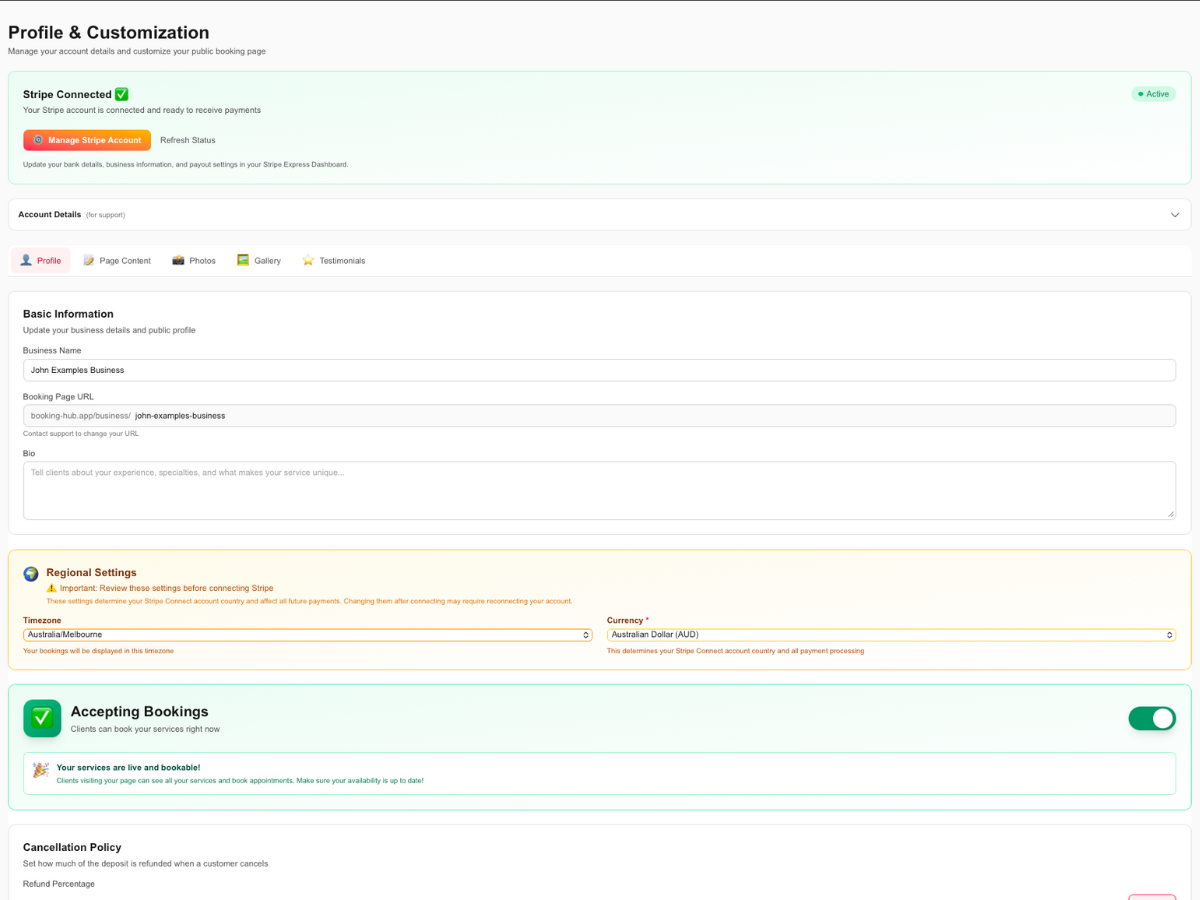
Complete Your Business Profile
Tell your story and build trust with potential customers through your profile.
- Add your business name, bio, and tagline
- Upload your logo and profile photo
- Choose your brand colors to match your style
- Add social media links (Instagram, TikTok, website, etc.)
- Write an 'About' section to showcase your expertise
- Set your fee preference: choose if customers pay fees or you absorb them
Connect Stripe for Payments
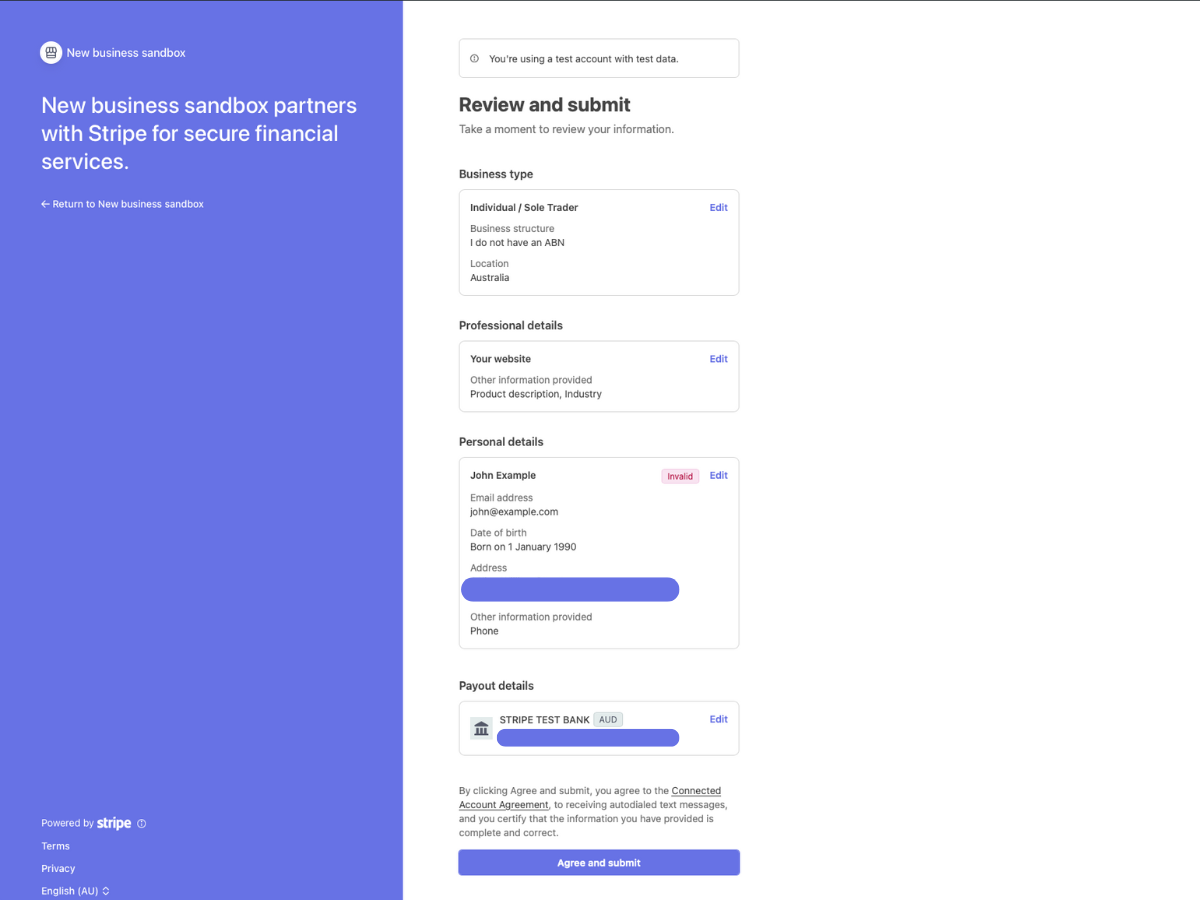
Set up secure payment processing in minutes. Stripe handles all the complexity.
- Click 'Connect Stripe' in your dashboard
- Complete Stripe's quick onboarding process
- Provide your business details and bank account
- Stripe verifies your account (usually instant)
- You're now ready to accept deposits and payments
Add Your Services
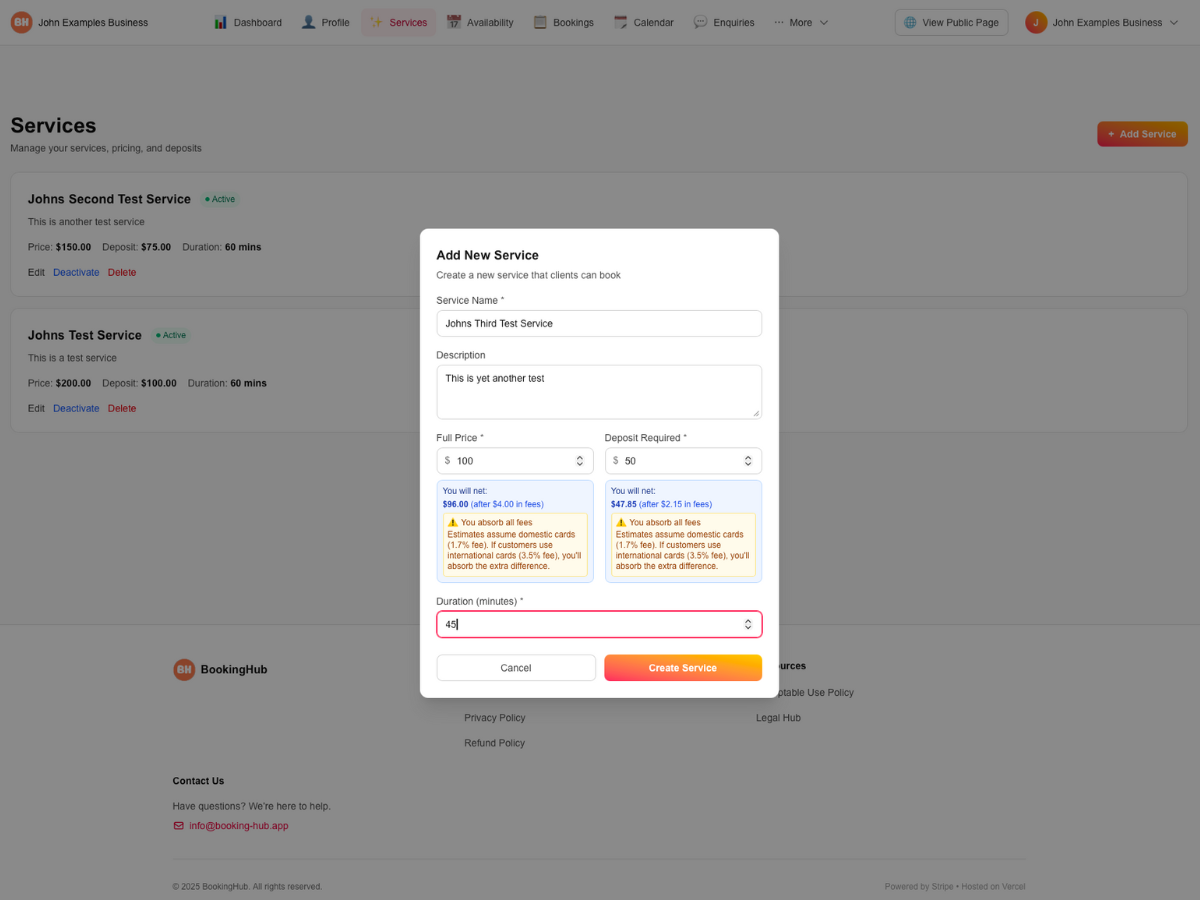
Create service listings that customers can book instantly.
- Go to 'Services' in your dashboard
- Click 'Add Service' and fill in the details:
- • Service name and description
- • Price and deposit amount
- • Duration (e.g., 60 minutes, 2 hours)
- See a real-time preview of your net earnings based on your fee preference
- Add as many services as you need
Set Your Availability
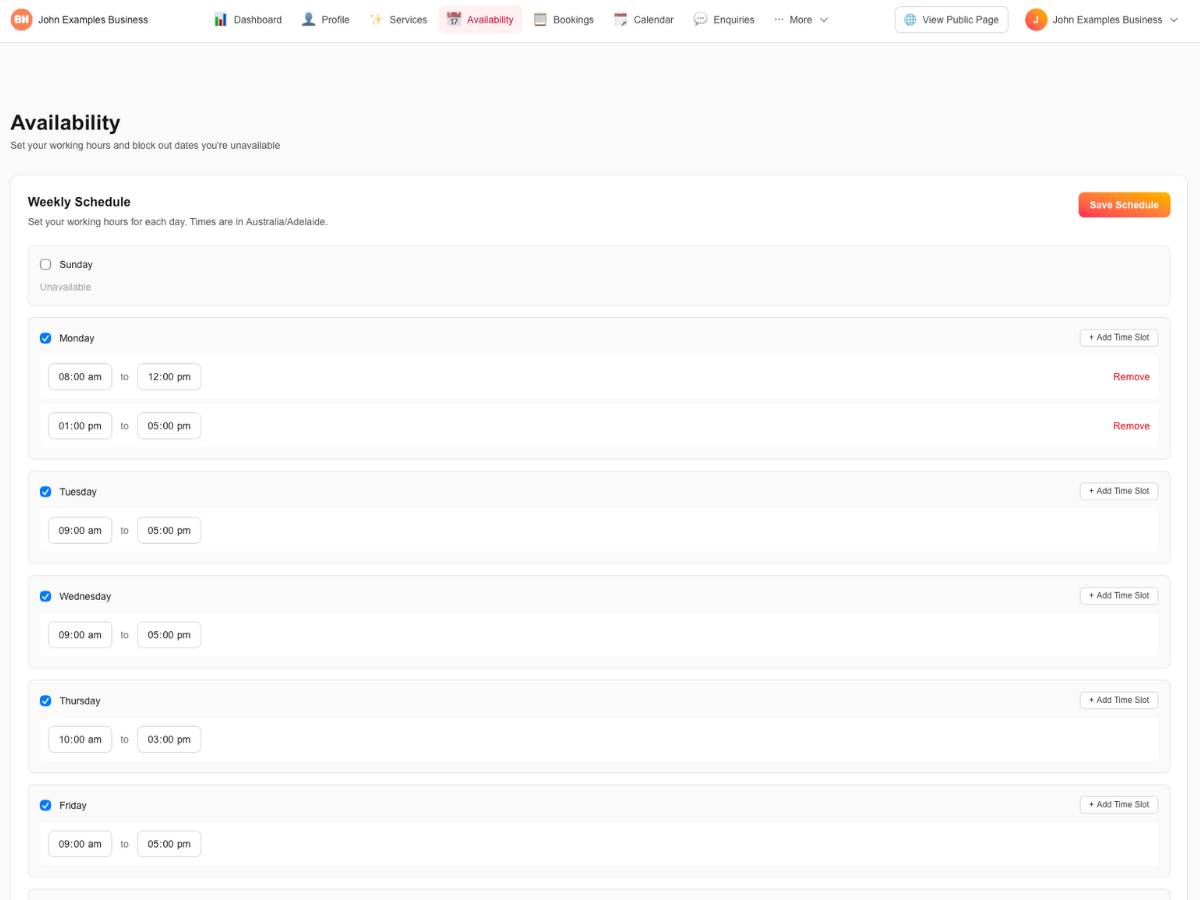
Define when you're available so customers can book at the right times.
- Navigate to 'Availability' in your dashboard
- Set your weekly schedule (e.g., Mon-Fri 9am-5pm)
- Add specific dates you're unavailable
- Set buffer times between bookings if needed
- Your calendar automatically blocks unavailable times
Customize Your Booking Page
Make your page stand out with photos, testimonials, and more.
- Upload a hero image or gallery photos
- Add customer testimonials and reviews
- Customize your page layout and colors
- Preview your public page in real-time
- Your page is live and shareable immediately

Share Your Booking Link
Start receiving bookings by sharing your unique BookingHub page.
- Copy your booking page URL (e.g., bookinghub.com/business/your-name)
- Add it to your Instagram bio, TikTok profile, or website
- Share it directly with customers via email or messages
- Customers can view your services and availability instantly
- No app downloads required - works on any device
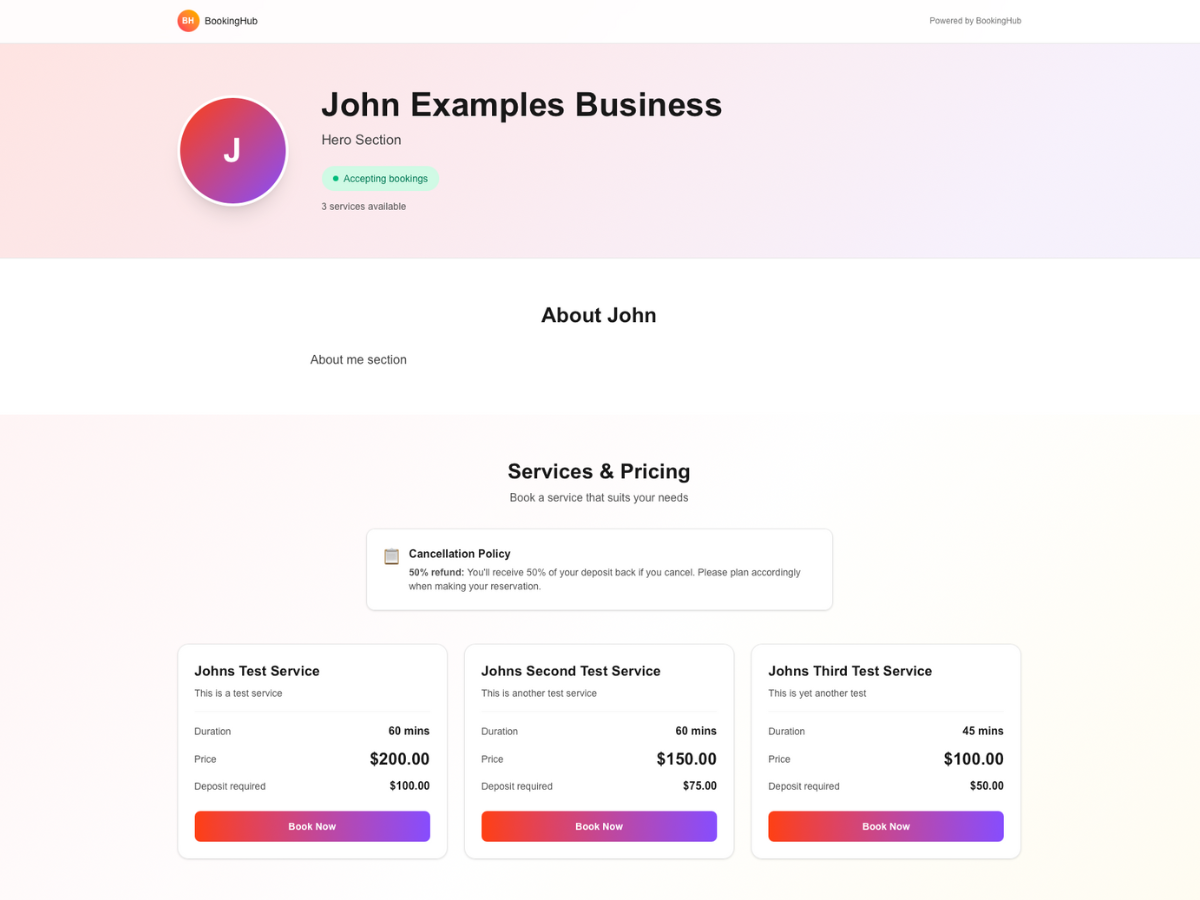
Customers Book & Pay Deposits
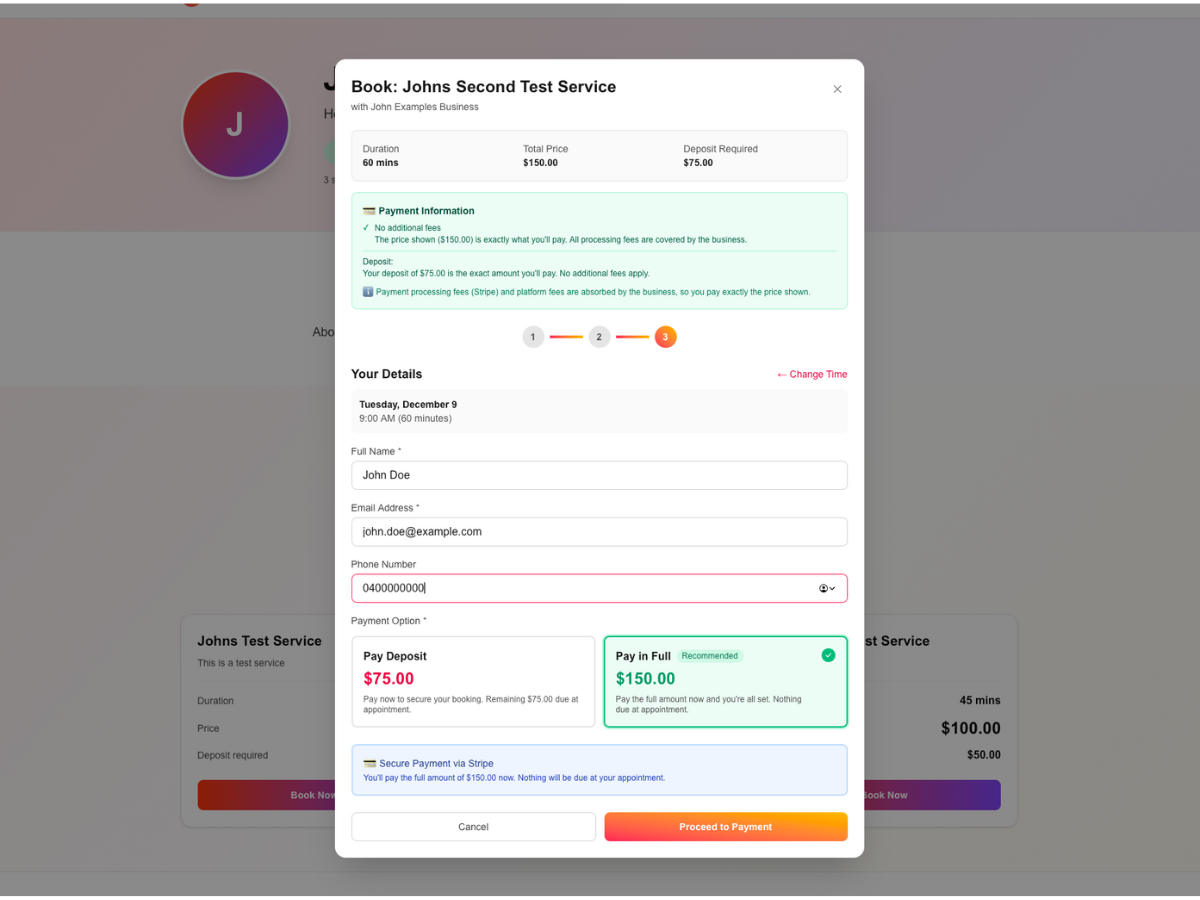
Customers browse your services, select a time, and pay a deposit to secure their booking.
- Customer visits your booking page
- They browse your services and see your availability
- Select a service and choose a date/time from your calendar
- Enter their contact details
- Pay the deposit securely via Stripe Checkout
- They receive instant confirmation via email
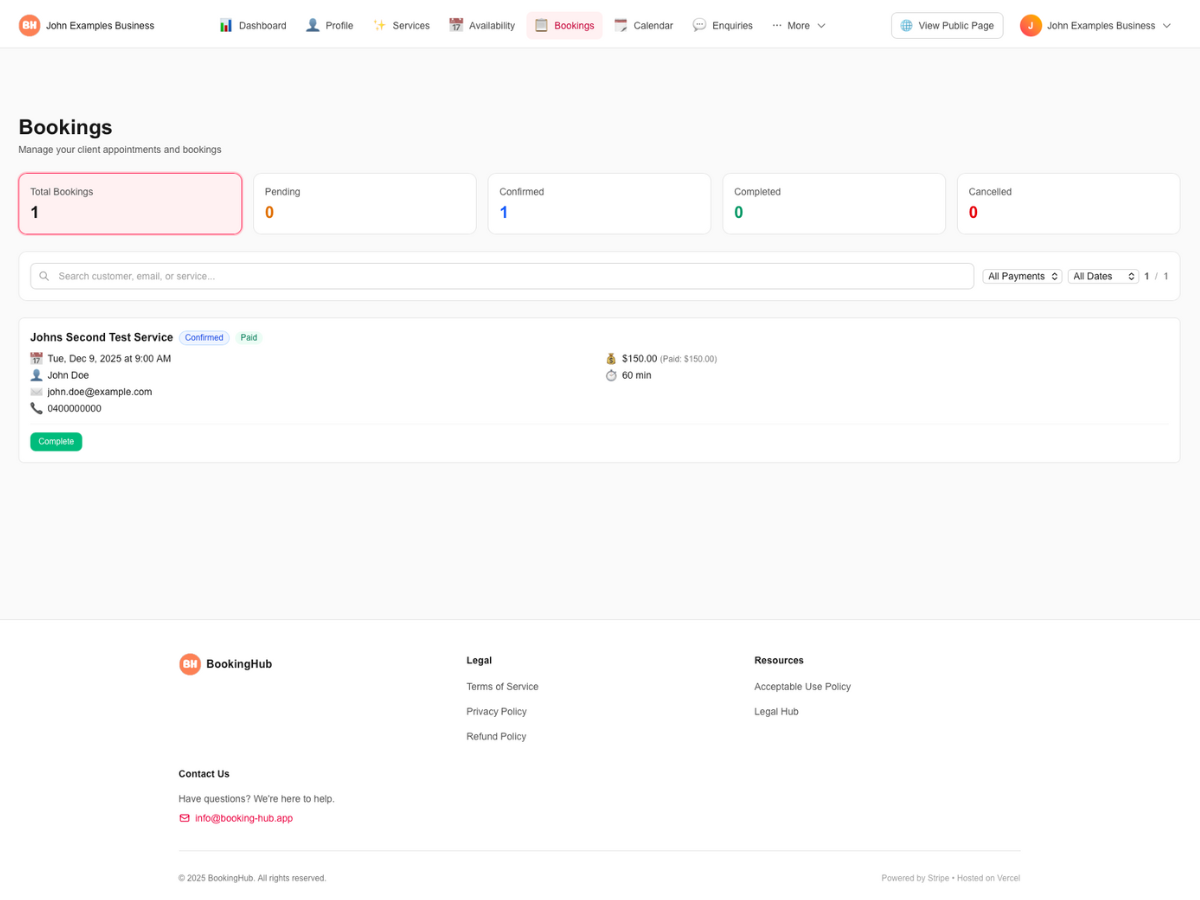
Manage Your Bookings
Stay organized with your booking dashboard and automated notifications.
- Receive instant email notifications for new bookings
- View all bookings in your dashboard with customer details
- See upcoming appointments, past bookings, and revenue
- Send payment links for remaining balances
- Mark bookings as completed when finished
- Export booking data for your records
Ready to Get Started?
Join hundreds of businesses already using BookingHub to manage their bookings and payments.